
Pak Game Easypaisa Withdrawal Rejected? What to Check
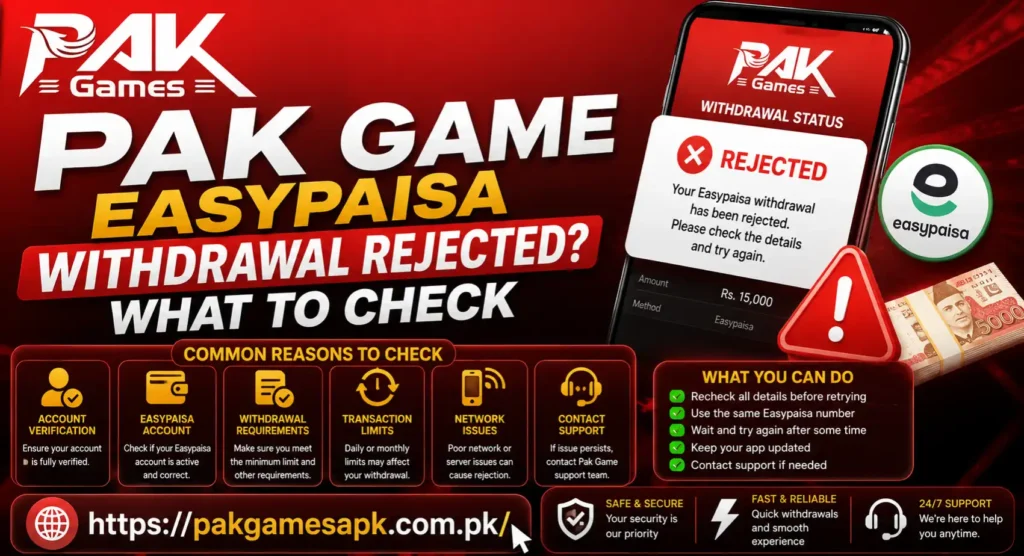
A rejected Pak Game Easypaisa withdrawal means the request was not approved or could not be completed. It does not necessarily mean that the balance has disappeared. First check the withdrawal history, read the rejection message and confirm whether the amount has returned to your game wallet.
Do not send another withdrawal immediately. If the original problem is still present, a second request may also be rejected and make the transaction history harder to understand.
Rejected, Pending and Failed Are Not the Same
These withdrawal statuses describe different situations:
| Status | What it normally means | Sensible next step |
| Pending | The request is still being checked or processed | Wait and monitor the transaction history |
| Rejected | The request was declined because a requirement or detail may not have been accepted | Read the reason and correct the relevant issue |
| Failed | The transfer could not be completed after being attempted | Check whether the amount was returned before retrying |
| Completed | The platform shows that the transfer was sent | Check the receiving Easypaisa wallet and transaction record |
The wording inside your account may be different. Treat the status and instructions shown on your current withdrawal screen as the main reference.
Check the Rejection Message First
Open the wallet, payment or transaction-history section and select the rejected request. Look for an error note, reason code or support message. A short message such as “invalid account,” “verification required” or “requirement not completed” can point directly to the issue.
Take a screenshot before editing payment details or clearing app data. Record the amount, request time and transaction ID if one is available. These details will be useful if you need to contact support.
Avoid assuming that every rejected withdrawal has the same cause. A wallet-detail error requires a different response from an account-review or bonus-condition issue.
Confirm Easypaisa Is Currently Available
ThePak Game website currently mentions Easypaisa among its payment methods. However, available options can change by account, app version or maintenance status.
Log in and check whether Easypaisa is visible on the current withdrawal screen. Do not use an old account number, screenshot or payment instruction received in a group message. If Easypaisa is temporarily unavailable, wait for it to return or use only another method displayed inside your account.
Never send money or pay a “withdrawal activation fee” to an unknown personal number. A rejected cash-out should be investigated through the account and the website’s listed support channel.
Recheck the Easypaisa Mobile Number
One wrong digit can stop a transfer. Compare the number saved in Pak Game App with the number registered to your Easypaisa wallet.
Check for:
- Missing or extra digits
- An old number that is no longer active
- Incorrect country-code formatting
- A number belonging to a family member or friend
- Spaces or typing errors
- A recently changed mobile number
Do not guess the required format. Follow the example shown beside the withdrawal field. If the field is locked and the saved number is wrong, contact support instead of creating another account.
Check for a Name or Ownership Mismatch
Some payment reviews may require the game-account details and receiving-wallet information to match. If your Pak Game Easypaisa Withdrawal Rejected profile uses one person’s details but the Easypaisa wallet belongs to someone else, the request may be rejected or held for review.
Check the name displayed in both accounts. Small spelling differences, initials and recently updated identification details can also create confusion. Do not submit another person’s CNIC, OTP or wallet credentials to solve a mismatch.
If the platform asks for matching ownership, use your own eligible wallet or request a correction through support. The exact verification requirements should be confirmed inside your account because they can change.
Review Account Verification Requirements
A withdrawal may be rejected when an account review is incomplete. Depending on the current platform rules, you may be asked to verify a phone number, identity detail or payment method before withdrawing.
Open the profile or verification section and look for incomplete steps. If documentation is requested, submit it only through the appropriate in-app or website process. Make sure images are readable and the information matches the account.
Do not send identification documents to an unverified WhatsApp, Telegram or social-media contact. Also never share an Easypaisa PIN, account password or one-time code. These secrets are not needed to review a withdrawal rejection.
Check the Withdrawable Balance
The amount visible on the main balance screen may not always be the amount currently available for withdrawal. A balance can sometimes include deposited funds, game results, promotional credit or rewards that are subject to separate conditions.
Open the wallet and check the amount labelled as withdrawable, cash balance or an equivalent term. If the request exceeds the eligible balance, lower it only after confirming the current rules.
Do not deposit more money simply because a stranger says it will “unlock” an existing balance. Any genuine requirement should appear in the account terms or be confirmed through the site’s normal support channel.
Read the Current Minimum and Maximum Limits
Withdrawal limits may change, so an old article or screenshot is not a reliable reference. Check the minimum and maximum shown beside the amount field at the time of the request.
A withdrawal can be rejected if it is below the current minimum, above the permitted maximum or outside an account-level limit. Enter the amount carefully and consider whether any displayed fee changes the eligible total.
This article does not provide a fixed Pak Game Easypaisa Withdrawal Rejected limit because only the amount shown inside the current account can confirm what applies to that user.
Review Bonus and Promotion Conditions
If you recently claimed a welcome, deposit, referral or other promotional bonus, part of the balance may be restricted until the offer conditions are met. Common terms can include an eligible deposit, game restrictions, an expiry date or a play-through requirement.
Open the promotion details and check:
- Whether the bonus was activated correctly
- Which balance was used during play
- Whether any requirement remains incomplete
- Whether certain games are excluded
- Whether the offer has expired
- Whether the bonus can be cancelled and what would happen to related funds
Do not continue playing merely to chase a withdrawal. If a condition is unclear, stop and ask support for the exact rule that affected the rejected request.
Look for Another Active Withdrawal
Some accounts may not accept a second cash-out while an earlier request is pending or under review. Open transaction history and look for another active withdrawal before submitting a new one.
If one request is pending and another is rejected, wait for the active request to reach a final status. Repeated requests can cause confusion and may trigger additional checks.
Keep a simple record of each attempt, including its time, amount, method and final status. This makes it easier to explain the issue without relying on memory.
Check the Easypaisa Wallet Itself
The problem may be on the receiving side rather than inside Pak Game Easypaisa Withdrawal Rejected. Open Easypaisa through its normal app and confirm that you can access the wallet.
Check whether:
- The mobile number is active
- The wallet is fully accessible
- The account has any visible restriction
- The wallet has reached a current receiving or account limit
- The name and ownership information are correct
- Easypaisa is experiencing a temporary service issue
Easypaisa limits and account rules can vary. Use the current information shown in your wallet or contact Easypaisa through its own verified support channels when the receiving account appears restricted.
Check the App, Internet and Session
A weak connection or expired login session can prevent payment details from being submitted correctly. If the withdrawal screen froze or closed during confirmation, first check the transaction history. The request may have been recorded even if the final screen did not appear.
Try these low-risk checks:
- Switch between Wi-Fi and mobile data.
- Close and reopen the app.
- Sign in again through the Pak Game Easypaisa Withdrawal Rejected login page.
- Restart the phone.
- Check whether an updated app file is available on the Pak Game Easypaisa Withdrawal Rejected download page.
- Clear cache only, not app data, unless your account access is safely recorded.
Before reinstalling, save your registered number, password-recovery access and transaction screenshots. Reinstallation may help an app problem, but it cannot correct a wrong wallet number or incomplete account requirement.
What to Do Before Requesting the Withdrawal Again
Only retry after the first request has a final status and its amount is visible in the correct balance. Then complete this checklist:
- Read and save the rejection message
- Confirm Easypaisa is currently displayed as an option
- Verify the mobile number digit by digit
- Check name and wallet ownership details
- Complete any visible account-verification step
- Confirm the withdrawable balance
- Review the current amount limits
- Read active bonus conditions
- Make sure no other withdrawal is pending
- Confirm that the Easypaisa wallet is accessible
Correct only the detail connected to the rejection. Changing several account fields at once can make it difficult to identify what caused the problem.
When Should You Contact Support?
Contact support when the rejection reason is missing, the balance has not returned, the saved Easypaisa number cannot be edited or the same properly corrected request is rejected again.
Use the website’scontact page and include:
- Registered account number or user ID
- Withdrawal amount
- Request date and approximate time
- Easypaisa number with some digits hidden
- Transaction or order ID
- Screenshot of the rejected status
- Exact error message
- Checks you have already completed
Ask one clear question: Why was this withdrawal rejected, and which account requirement needs to be corrected?
Never include your login password, OTP, Easypaisa PIN or complete sensitive identification in an ordinary support message. Support may need account and transaction references, but it should not need the secret code that authorizes access or payment.
What Not to Do After a Rejection
- Do not submit the same withdrawal repeatedly.
- Do not deposit again to “release” the rejected amount without a verified in-account reason.
- Do not create another Pak Game Easypaisa Withdrawal Rejected account to bypass the problem.
- Do not use a friend’s Easypaisa wallet if matching ownership is required.
- Do not pay an unknown person who promises instant approval.
- Do not share an OTP, password, wallet PIN or screen-control access.
- Do not edit screenshots or transaction details sent to support.
- Do not keep playing with money you intended to withdraw.
A calm, documented response is safer than trying several unverified fixes.
Pak Game Easypaisa Withdrawal Rejected FAQ
Why was my Pak Game Easypaisa withdrawal rejected?
Possible causes include an incorrect Easypaisa number, mismatched account details, incomplete verification, an ineligible balance, an amount outside current limits, unfinished bonus conditions or a receiving-wallet restriction. The rejection message inside your transaction history is the best starting point.
Should I send another withdrawal immediately?
No. Wait until the rejected request has a final status and confirm that the amount has returned to the correct balance. Fix the stated problem before submitting another request.
What if the amount did not return after rejection?
Take screenshots of the wallet balance and transaction status, note the order ID and contact support. Do not make a deposit or another withdrawal to force the balance to update.
Can I withdraw to someone else’s Easypaisa account?
Do not assume this is allowed. Check the current payment and verification terms inside your account. If matching ownership is required, using another person’s wallet can cause rejection or further review.
Does a rejected withdrawal mean my account is blocked?
Not necessarily. A single transaction may be rejected because of its details or conditions. Check whether you can still access the account and look for a separate restriction notice.
Can support ask for my Easypaisa OTP or PIN?
You should never share your Easypaisa PIN, Pak Game password or one-time verification code. These details can be used to access or authorize activity on your accounts.
How long should I wait before trying again?
There is no reliable universal waiting time. Retry only after the first request shows a final status, the amount is accounted for and the rejection reason has been corrected. Follow any waiting instruction displayed inside the app.f
Pak Game Easypaisa Withdrawal Rejected Final Thoughts
When a Pak Game Easypaisa withdrawal is rejected, begin with the transaction record rather than another request. Confirm the rejection reason, check the Easypaisa number and ownership details, review account verification, inspect the withdrawable balance and read any active bonus conditions.
If the problem remains unclear or the balance does not return, save the evidence and contact support. Do not pay a separate fee or share an OTP, password or wallet PIN to get a withdrawal approved.
Pak Game Easypaisa Withdrawal Rejected and other real-money gaming services are intended only for adults aged 18 or above. Use a fixed entertainment budget, never borrow to play and avoid chasing money after a loss or rejected transaction.


